
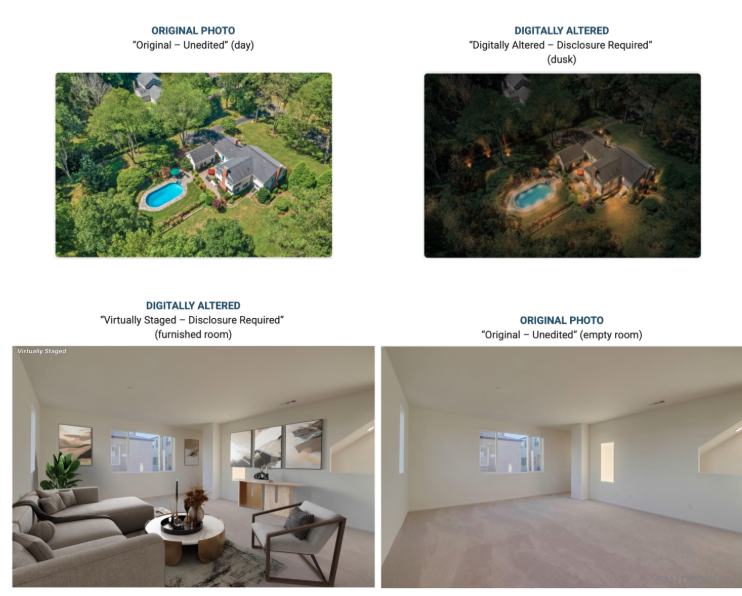
Effective today, October 1, 2026, all permitted digitally altered listing photos must display the “Digitally Altered” watermark in Flexmls.
A watermark is required for:
- Virtual staging that adds furniture, appliances or décor
- Adding a blue sky or twilight lighting to an exterior photo
*The original, unaltered photo must appear immediately before the altered photo*.
A watermark is not required for:
- Brightness or exposure adjustments
- Straightening
- Cropping
- Color correction
Alterations that hide defects, remove surrounding objects or add or remove permanent property features are prohibited.
To apply the watermark in Flexmls:
- Open the listing under Change Listing or My Incomplete.
- Select Photos under the Media section.
- Locate the altered photo and click the Sunburst icon.
- The “Digitally Altered” watermark will be applied and saved automatically.
Watermarks must be added to each altered photo individually. Once applied, a watermark cannot be turned off. To remove it, delete the watermarked photo and upload a clean copy of the original image.
Please review the policy and MLS Rules and Regulations for the complete requirements. When in doubt, disclose.


No responses yet